iOS
This guide provides a quick setup guide for the Eclipse mobile app.
Requirements
- Debrid Vault Account: You will need to have a registered Debrid Vault account Debrid Vault Setup Guide.
- TestFlight Invitation: Currently, access is limited to VIPs/donors Ko-fi or Patreon.
- Signup Music Eclipse Addon: You will need to sign up to the Eclipse Music Addon to obtain the URL manifest you need to link to your Eclipse mobile app. Please see setup instructions below.
Donors: Please ensure you include your Discord username in the donation note or DM doctor on Discord so you can be assigned the appropriate role for testing Eclipse to receive a TestFlight invite.
Thank You
Thank you for donating! Your support directly helps with the development!
** OFFICIAL SETUP GUIDE**
:::info Account Creation
-
Go to https://api.eclipsemusic.app/configure and create an account (THIS WILL BE THE SAME ACCOUNT YOU LOG INTO ECLIPSE, THIS IS NOT YOUR DEBRID VAULT ACCOUNT. YOU MUST CREATE A FRESH ACCOUNT) :::
-
Once logged in, input your torbox API key (if you dont have torbox skip this step and only input the debrid vault part, you can still use the app withour debrid, just won’t be able to utilize debrid functions) into the cloud storage section. In music search for url type in
https://debridvault.elfhosted.com/and for api key, get on from your Debrid Vault Account settings, you can create one and input it. Once these are inputted generate a manifest URL -
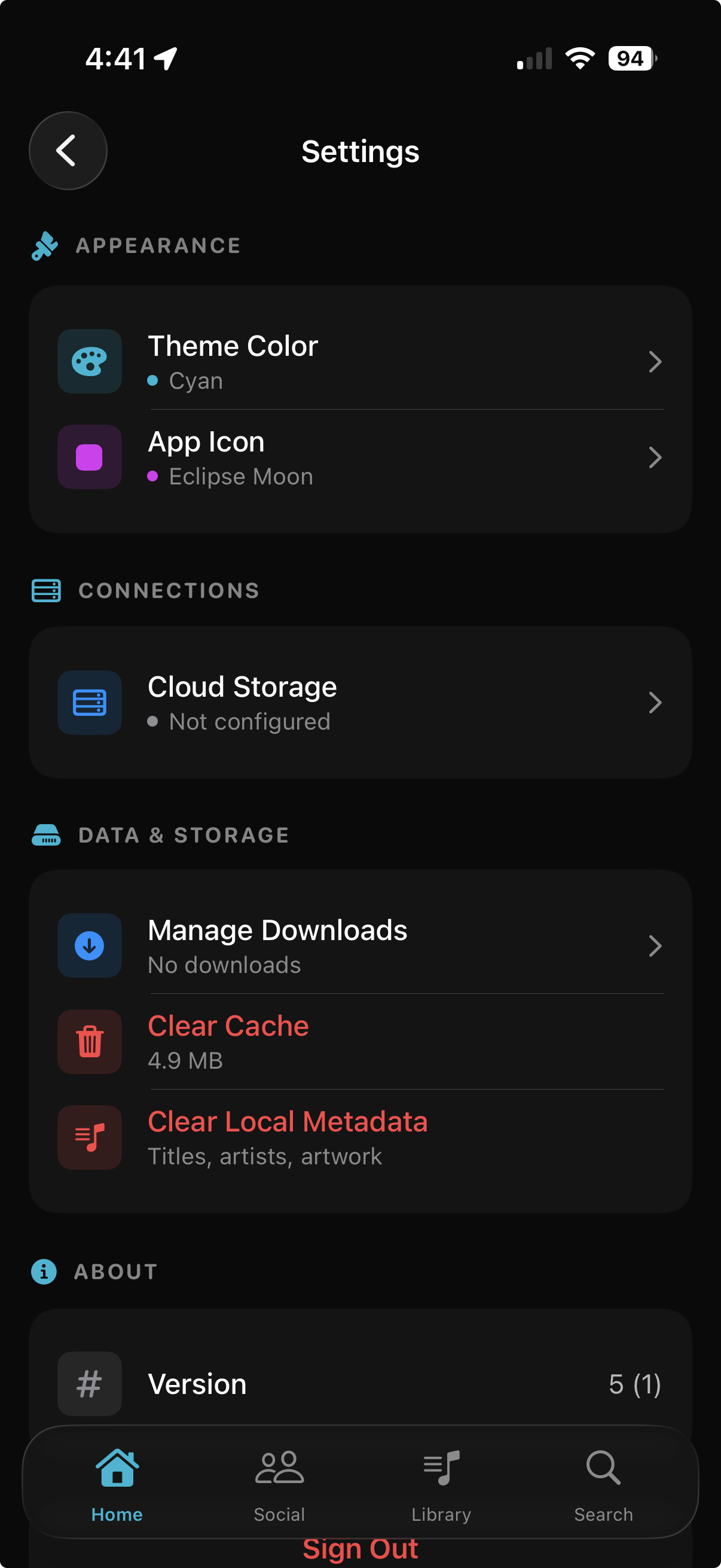
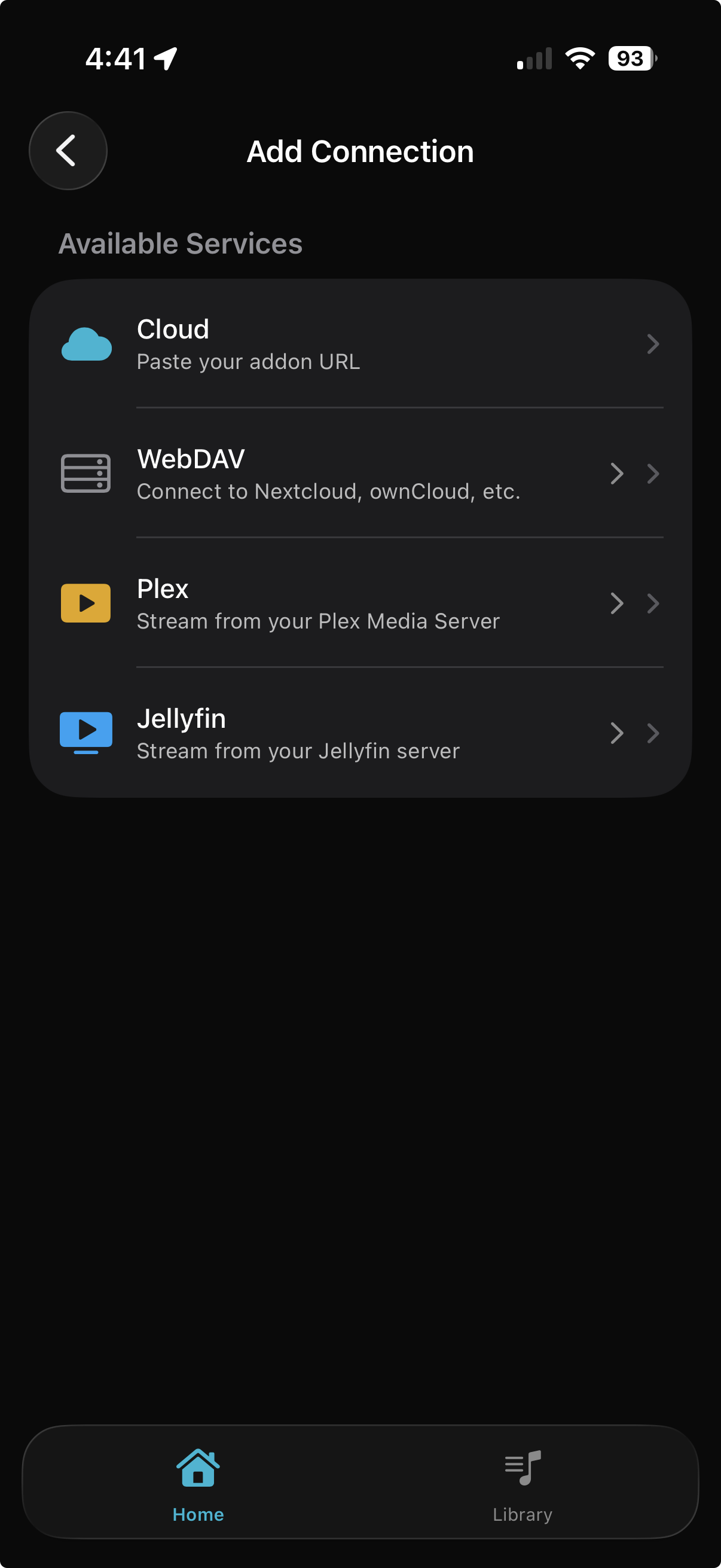
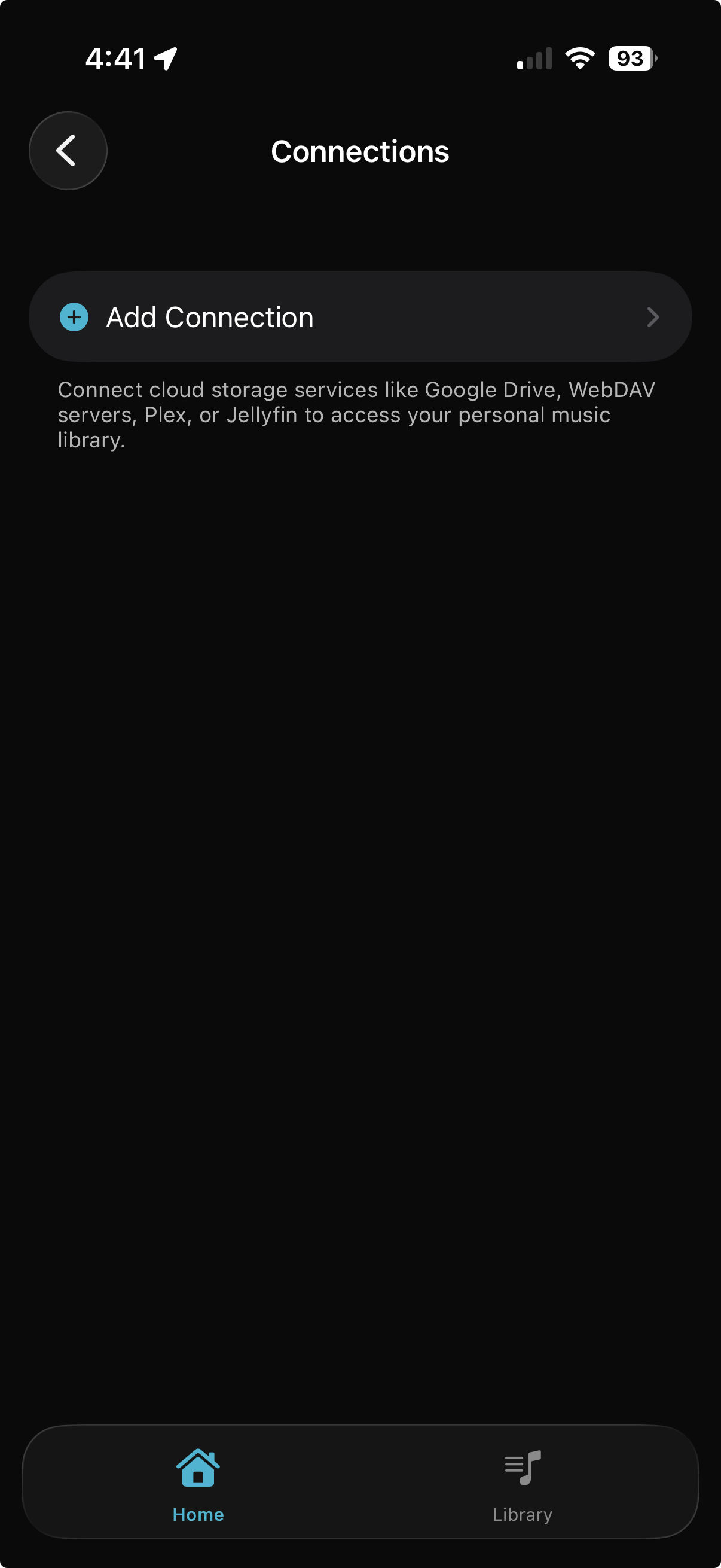
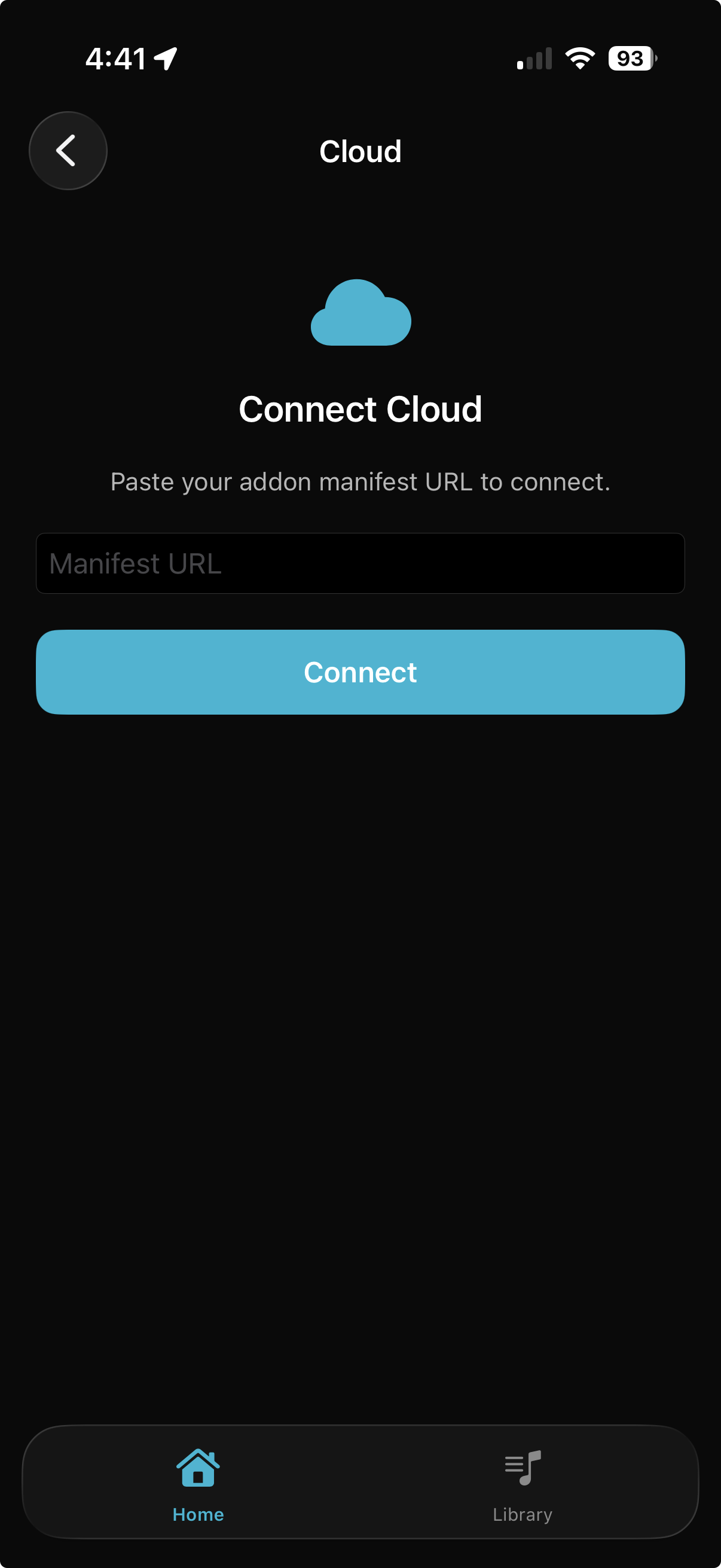
Go to eclipse, log in with same log in info. Go to Settings -> CloudStorage -> Add Connection -> Cloud ... here pasted the manifest url and connect
-
Once connected you will see SIMPLE mode and ADVANCED MODE. Simple mode allows u to just stream and not worry. just make sure to enable stream mode for it like apple music for example. ADVANCED MODE gives you more thigns to play with and lets u select search provider in serach tab. iTUNES/SPOTIFY are for torrent/usenet searching YT MUSIC and SOUNDCLOUD are for WEB DOWNLOADS VIA TORBOX.
-
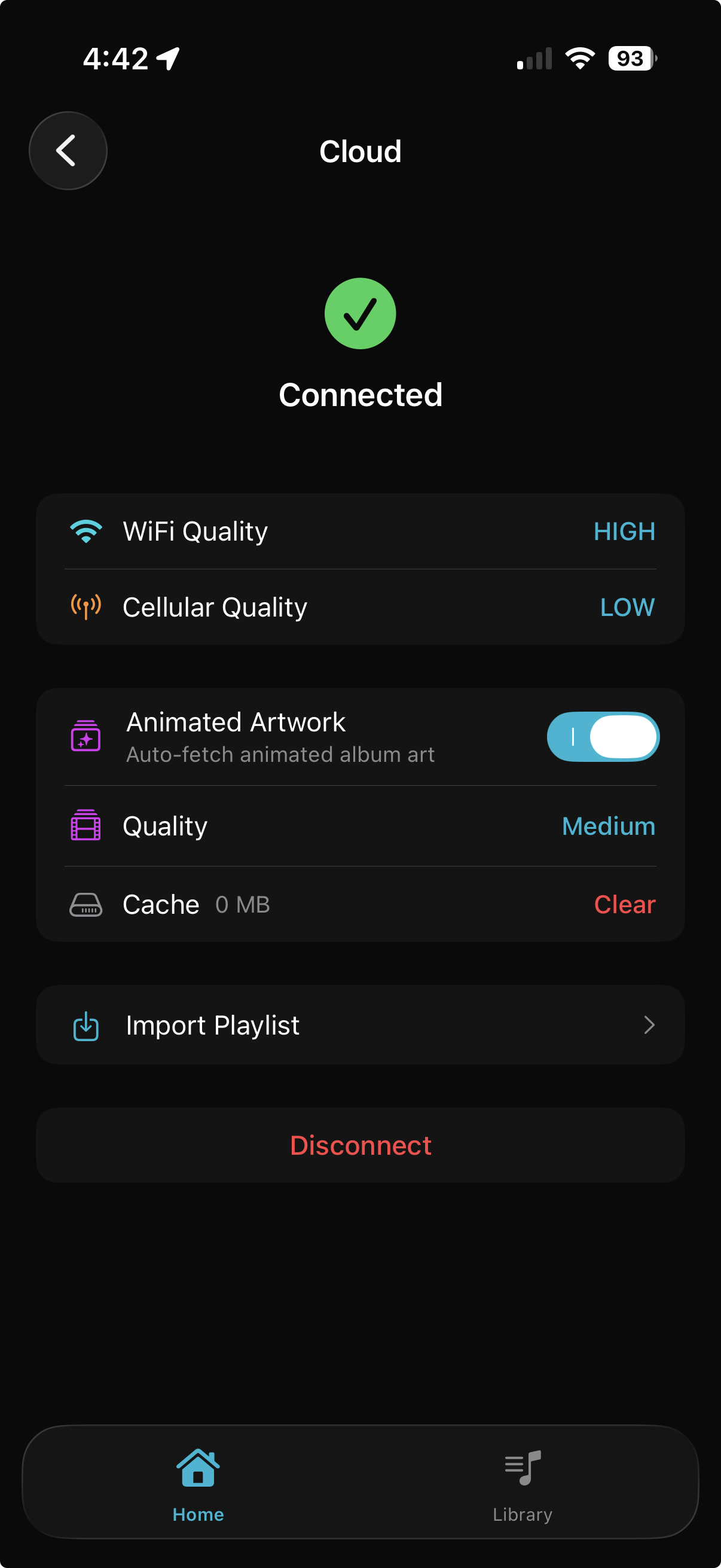
Within these settings in cloud you will see options to enable animated art and all that good stuff.
-
When set up if you have stuff in Debrid Section you can tap on 3 dot context menu and edit info and apply metadata. You can also apply embedded metadata by running an extract.
SIDE NOTES
- You can select quality for stream mode
- HI-RES doesnt work on tidal
- LastFM integration exists
- There are other settings like crossfade, loudness normalization, equlaizer, lyric offset etc
BASH'S Setup Instructions
Create your API Keys and Link to Eclipse
- Log in to your Debrid Vault account.
- Navigate to Settings, then click the Accounts tab.
- Scroll down to the Mobile App Access section.
- Type a name for your API key (e.g., "Eclipse Mobile") and click Create.
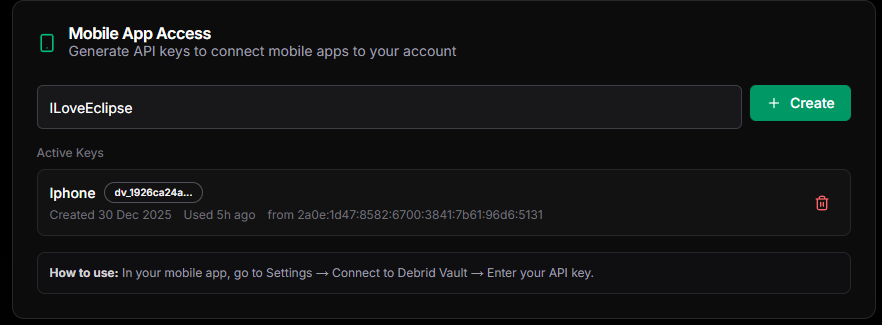
- Copy your API key, then click the 'I've saved the key' button. Keep it handy to enter the generated API in the Eclipse Addon.
- Sign up to the Eclipse Music App. The link to the Eclipse Addon is located in the useful tools section on your Debrid Vault (DV) homepage Debrid Vault Useful Tools.
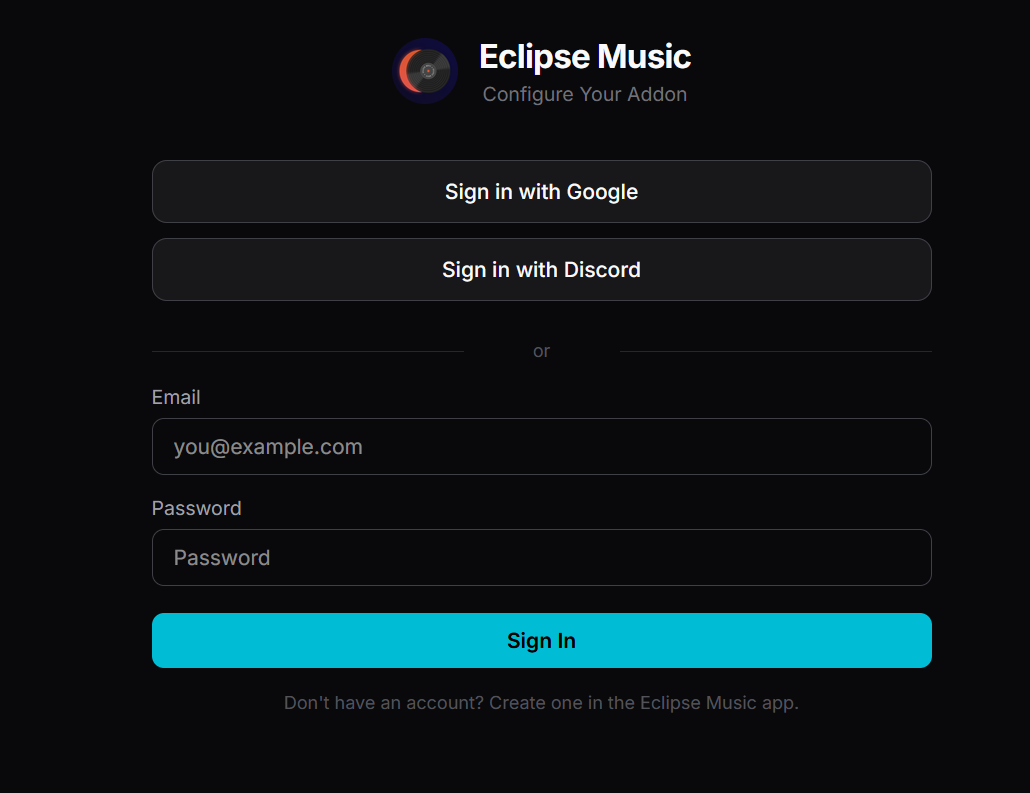
- On the Eclipse Addon setup page, enter your API keys and click on connect for Cloud Storage and Music Search.
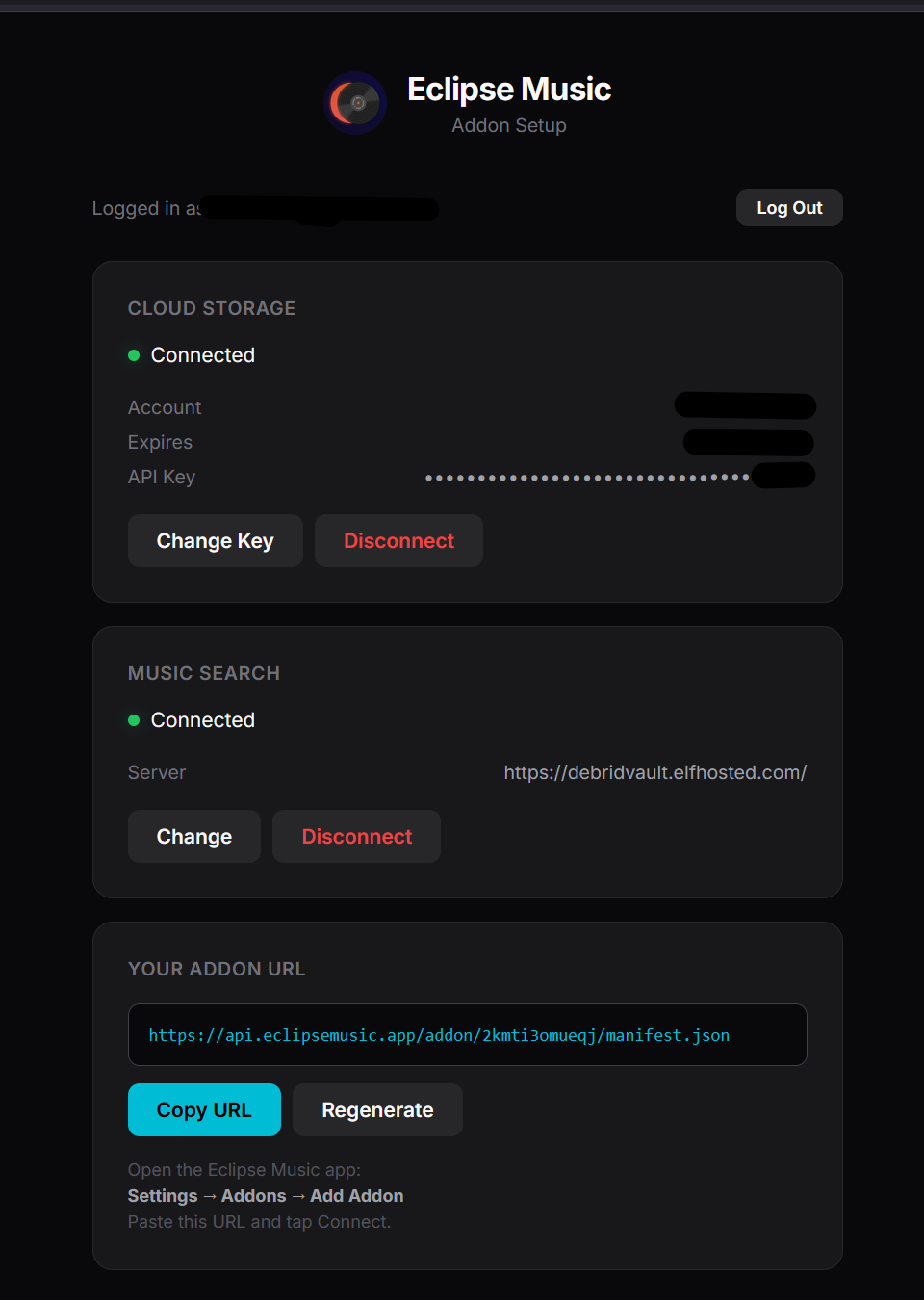

| Section | Required Information |
|---|---|
| CLOUD STORAGE | TORBOX API KEY |
| MUSIC SEARCH URL | https://debridvault.elfhosted.com/ |
| MUSIC SEARCH KEY | DEBRID VAULT ADDON API KEY (See step 4) |
- Connect your manifest URL into Eclipse in Settings -> Cloud Storage -> Add Connection -> Cloud.
Mobile App Installation
Apple have nowapprove Eclipse for public testing in TestFlight, you can now enroll to use is on you device.
- Once you receive the invite, follow the instructions in your email to get TestFlight set up.
- Ensure the TestFlight app is installed on your mobile device; this is where you will download and update Eclipse.
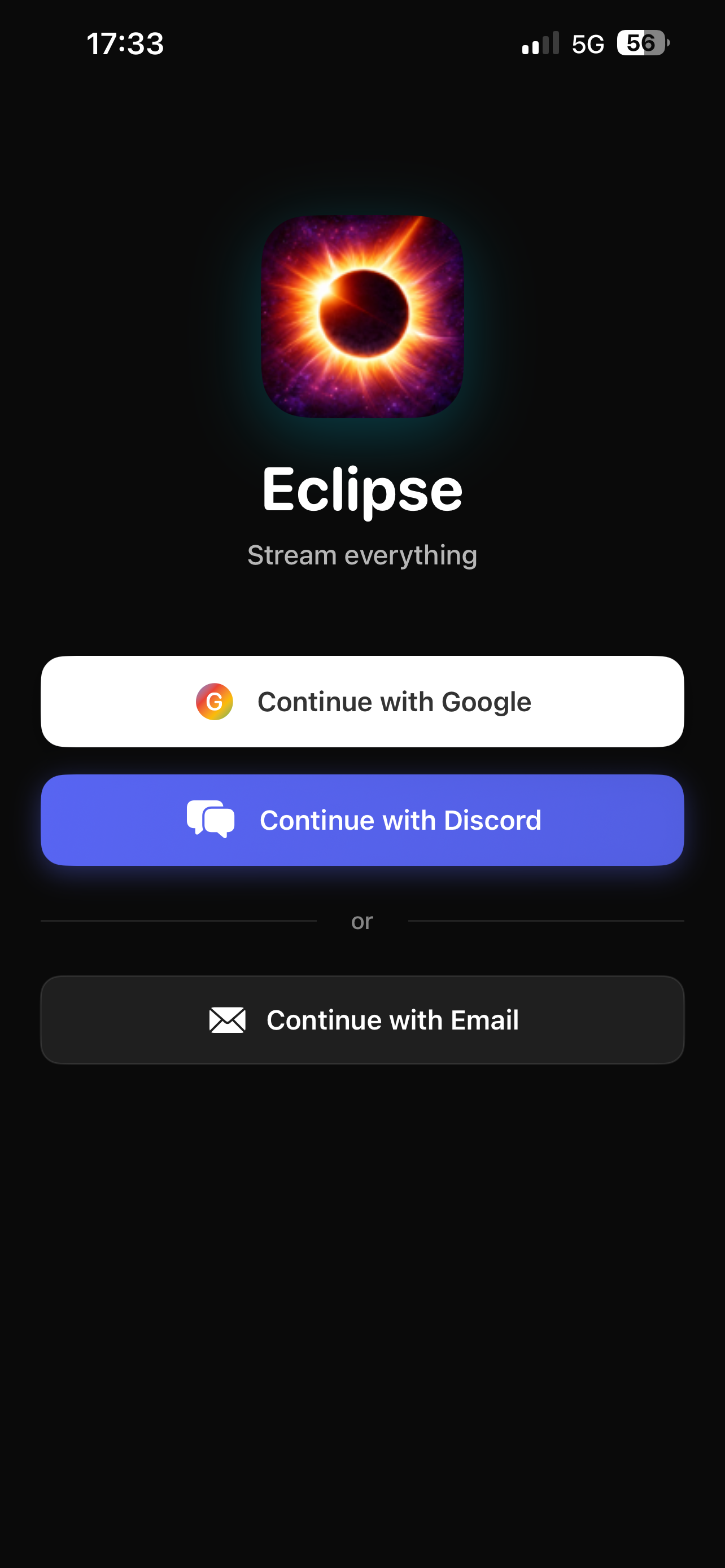
- Open Eclipse and sign in.
- Tap the Settings icon on the bottom navigation bar.
Enjoy! You are all set up and ready to use Eclipse.