Setup Guide
This guide focuses on initially setting up an account with DV, navigating the web applcation and configuring the settings page.
Accessing Debrid Vault
To access Debrid Vault, you can sign up for an account or continue as a guest.
Signing up lets you create a profile, which saves your settings and listening statistics when logging into any device. (Saving time to reapply the same setting on multiple devices and browsers you use).
Continue as Guest lets you use DV without needing to set up an account.
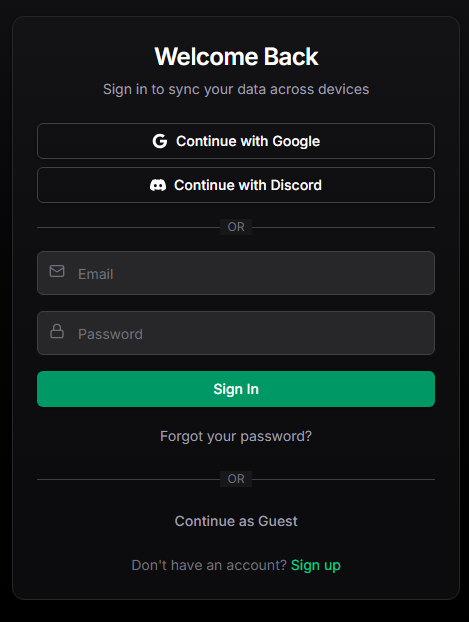
Debrid Vault Dashboard Home page
Once passing the sign-in, you will be sent to your Media Vault Home Page. This page can be customised to either keep the default screen shown below or to show a specific library linked to your dedbrid provider, e.g. Music. This is set in your settings page.
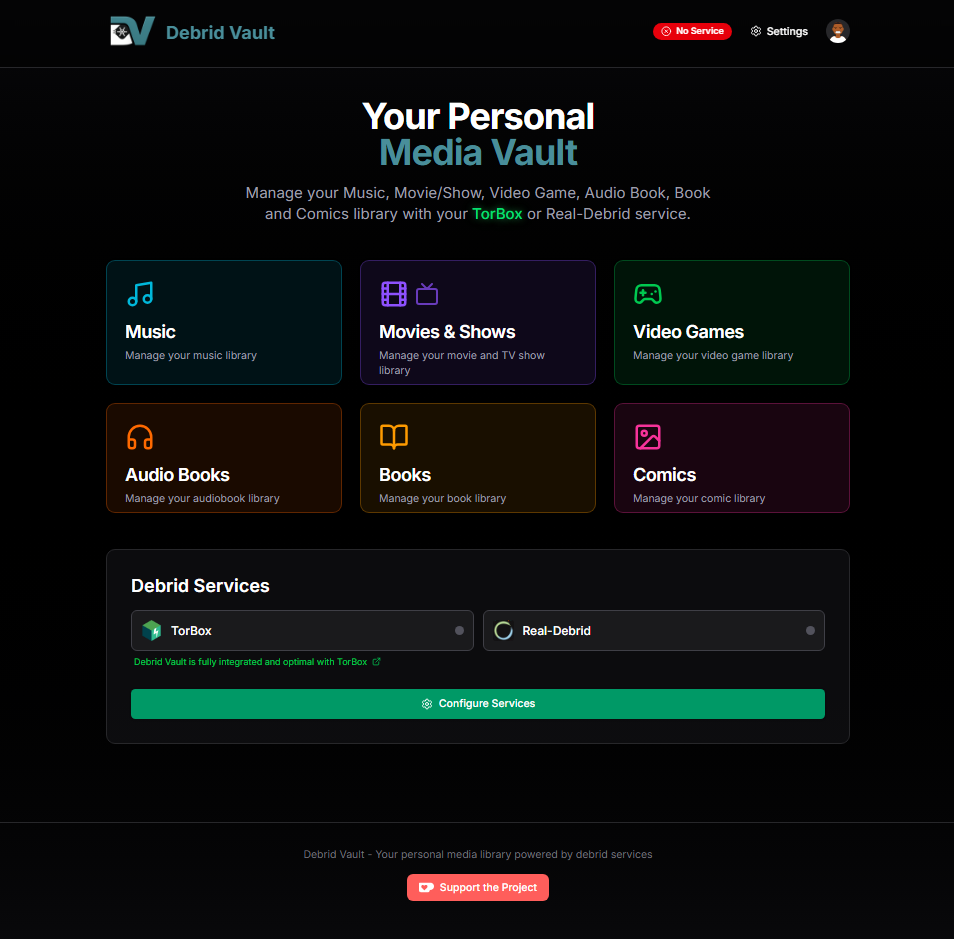 Default Media Vault Home Page
Settings
The settings page is where you manage your debrid service connections, indexers, intergrations and your Debrid Vault account. In addition, at the bottom of the settings page, you can see the current Debrid Vault version.
Debrid
You will need to link your Debrid Provider APi key in this tab on your settings page to allow Debrid Vault to access your file library stored with your provider.
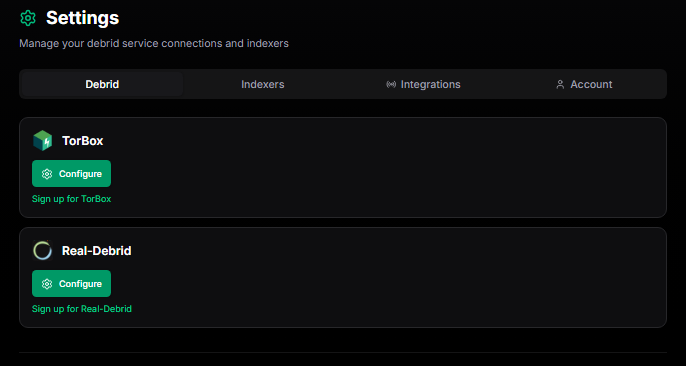
Indxers
This section lets you add additional sources to get more results for harder-to-find unpopular media.
To get more out of your music search it is recommended to set up and link a RuTracker (https://rutracker.org/forum/login.php) account and log in on DV. The site is in Russian to just use the browser translator. This will give you a lot more results especially for more well known songs.
In settings there are also more indexers users can apply such as Jackett, Prowlarr, Torznab and Newznab. These will provide you many more results naturally. These indexers also apply across all the pages. This is the extent that real debrid users have in terms of integreation.
Given the nature of TorBox , there are many more features which gives DV more fun to have with integration. If you are a TorBox Pro user, you can utilize usenet and gain access to a lot more music content. My personal recommendations are DrunkenSlug and SceneNZBs. These can be set up in Newznab indexer once you have accounts.
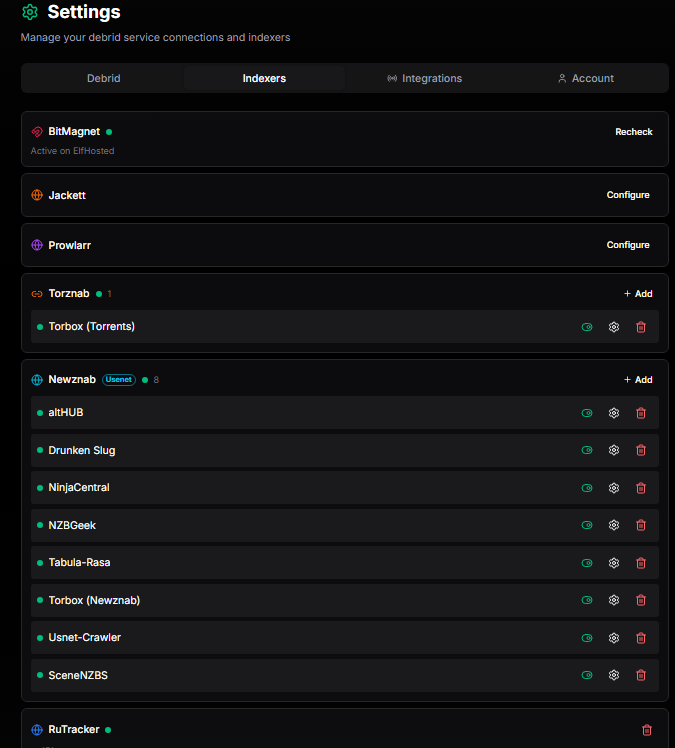
For more information about indxers or how Debrid services work, I would recommend reviewing the Debrid web page in this wiki.
To fill in the gaps on music that is difficult to find, after searching for a song for TorBox users, there is a drop-down where you can change the search to YouTube Music or SoundCloud, which lets you take advantage of the WebDownload feature and that way you can directly add any song you wish to your cloud and, in effect, to DV. This was you to have access to any song you wish, essentially.
The other pages that are not music are on the back burner and still in "alpha", so don't expect much there yet, as the focus is to refine music as much as possible.
Integrations
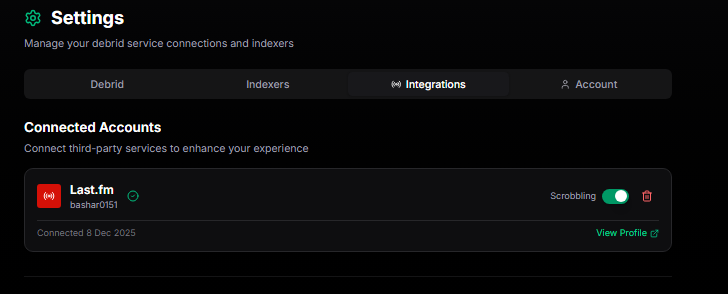
This section lets you connect your Debrid Vault with third-party apps to enhance your experience.
When you listen to a song, Last.fm scrobbles the song by recording the song's title, its artist, its genre, and when you listened to it. All this information gets saved to your account, and Last.fm uses it to both generate lists of your favourite songs (both recently and of all-time) and recommend you new ones.


Account
This section lets you edit/delete your account profile credentials, customise your homepage and Default Metadata Provider.
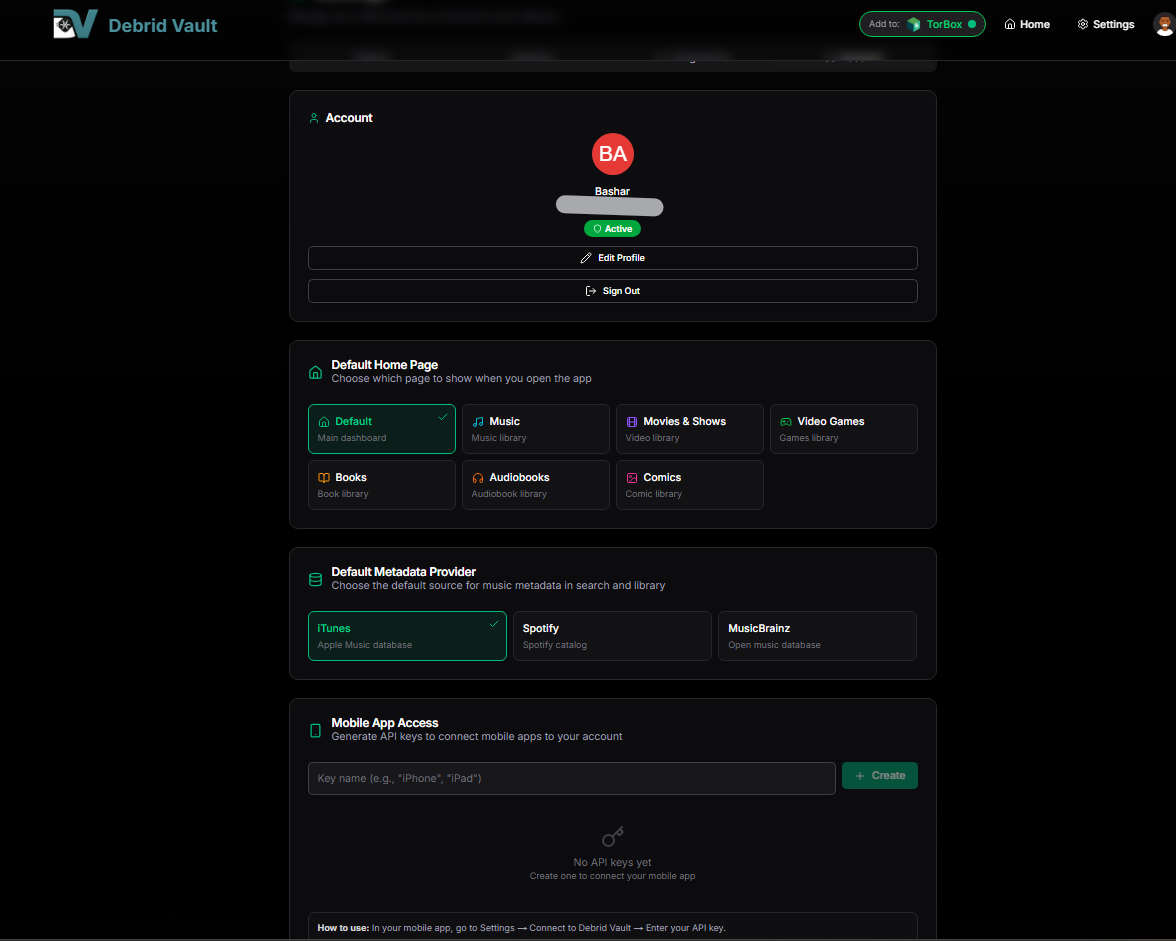

At the time of writing this guide, Mobile App Access is coming soon for testing. This will let you generate API keys to connect mobile apps to your account.
Page under construction, marked as incomplete!